One map of everything on your Mac.
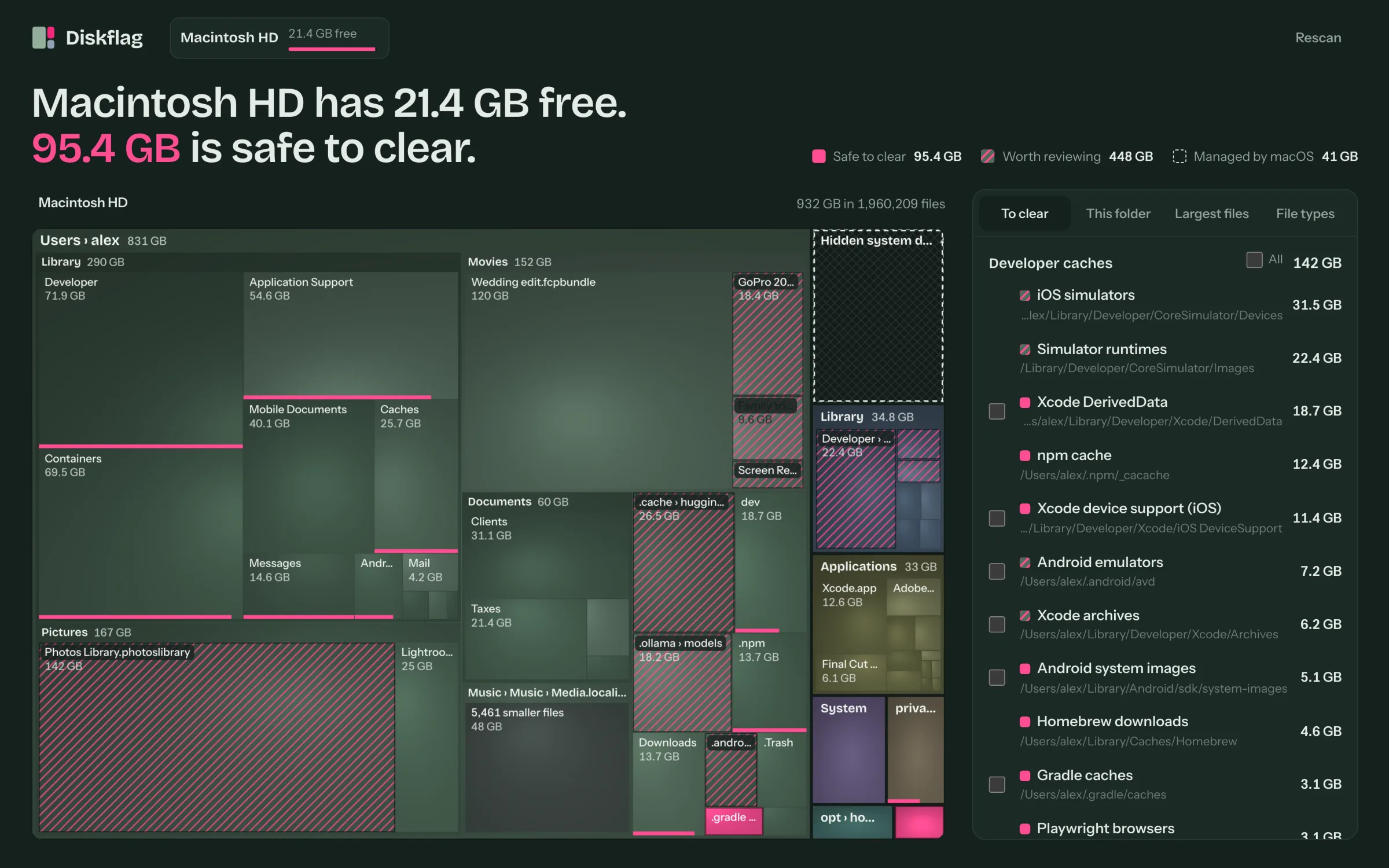
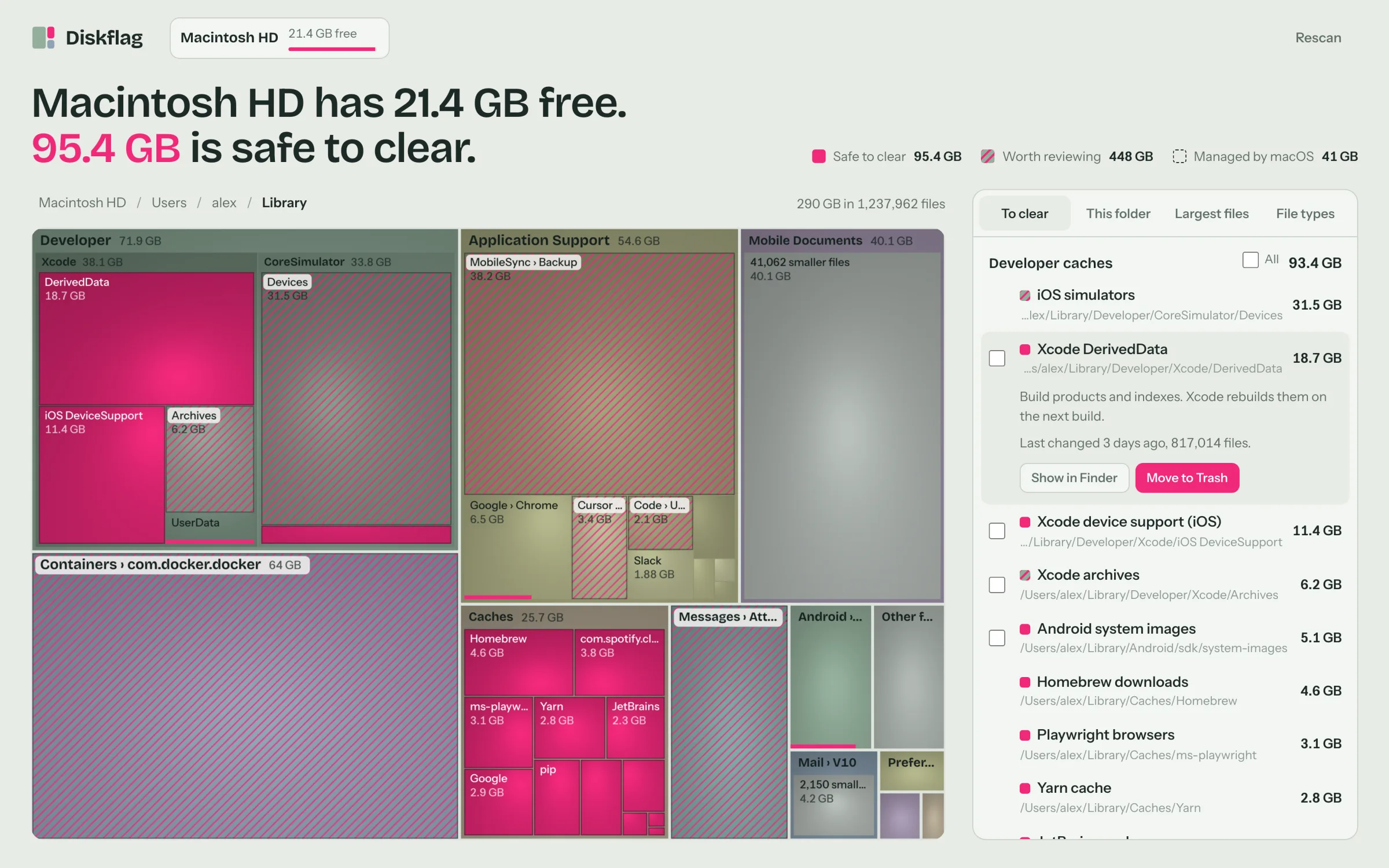
Every folder is a tile, sized by the space it takes. Click one to zoom in, and hover for its size, file count and when it last changed.
- Safe to clearCaches, Xcode build data and crash dumps that apps rebuild on their own.
- Worth reviewingSimulators, Docker, iPhone backups, big videos and AI models you may still need.
- Managed by macOSLocal snapshots, swap and purgeable space, with the macOS setting that manages them.

What it found on a sample 1 TB Mac.
A developer's MacBook Pro with 21.4 GB left. Diskflag found 95 GB that's safe to clear right away, and a lot more worth a second look.

Cleanup you can undo.
Tick what you want gone and Diskflag moves it to the Trash, so anything can come back. You empty the Trash when you're sure.
macOS stays intact
System folders, your apps and the app data in your Library can't be removed from Diskflag, and neither can anything inside an app or your Photos library. For space macOS manages, it opens the right setting instead.
It says how, not just what
For caches with their own cleanup command, like Homebrew, npm or Docker, it shows the exact command to run and copies it for you.
Your files stay on your Mac
No account, no upload, no internet connection needed. Everything Diskflag looks at stays on your Mac.
Light or dark, every drive.
Diskflag follows your Mac's appearance and maps your startup disk and any external drive. A full scan of a 1 TB disk takes a couple of minutes, and the map fills in while it runs.
- Maps your startup disk and external drives
- Flags Xcode, Docker, caches, backups and more
- Moves what you pick to the Trash
- Works offline, no account
- macOS 11 or later, Apple Silicon and Intel
- Includes the Windows version
- 14-day refund, no questions asked
Questions
Does Diskflag delete anything by itself?
No. It only moves what you select to the Trash, after you confirm. macOS system folders, your apps, the app data in your Library, and anything inside an app or your Photos library can't be removed at all.
Why does it ask for Full Disk Access?
It works without it. macOS keeps Mail, Messages, Safari and some app data private, so without Full Disk Access that space shows as hidden. To include it, turn on Diskflag in System Settings → Privacy & Security → Full Disk Access, then click Rescan. Nothing leaves your Mac either way.
Why doesn't the map add up to my disk's used space?
macOS hides local Time Machine snapshots, swap and purgeable space from every app. Diskflag shows that space as one dashed tile and opens Storage settings for it. macOS frees purgeable space by itself when the disk runs low.
Which Macs does it run on?
Any Mac with macOS 11 Big Sur or later, Apple Silicon or Intel. It's signed and notarized by Apple, so it opens like any app you download.
How long does a scan take?
About 2 minutes for a 1 TB disk with 5.9 million files on an Apple Silicon MacBook Pro. The result is saved, so the next time you open Diskflag the map is there instantly.
Does it send my data anywhere?
No. Diskflag runs entirely on your Mac and doesn't need an internet connection.
Does one purchase cover Windows too?
Yes. After you buy, the download page has both the Mac and Windows versions, so you can use Diskflag on your own Macs and PCs.
How big is it?
A 22 MB disk image. Open it, drag Diskflag to Applications, and you're done.
What if it's not for me?
Email scottfoster@velorank.net within 14 days of buying and you'll get a full refund, no questions asked. The details are in the terms.